Time and attendance software tracks when employees work, manages time-off requests, and helps ensure accurate compensation and compliance for growing teams.
Managing employee schedules and tracking work hours manually becomes nearly impossible as your team grows beyond 10-15 people. Paper timesheets lead to errors, buddy punching inflates labor costs, and calculating overtime manually takes hours that could be spent growing your business.
The right time and attendance software eliminates these headaches while helping small teams compete with larger companies that have dedicated HR departments. We've analyzed the top solutions specifically for small teams (5-100 employees), comparing features, pricing, ease of use, and integration capabilities. Here's what we found.
What Is Time and Attendance Software?
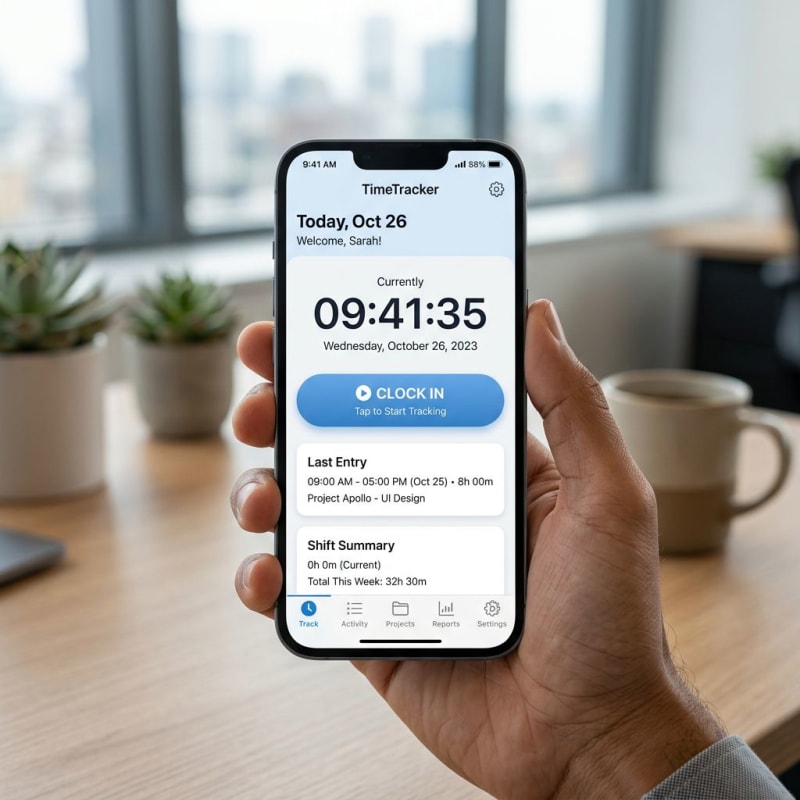
Time and attendance software is a digital system that automates employee time tracking, schedule management, and leave administration. Modern time and attendance solutions use mobile apps, web portals, GPS tracking, and biometric devices to accurately record when employees start and stop work.
Core features typically include:
- Clock in/out tracking via mobile apps, QR codes, or biometric scanners
- Schedule management to assign shifts and monitor staffing levels
- Time-off management for PTO, sick leave, and holiday requests
- Overtime calculation with customizable rules and alerts
- Reporting and analytics to track labor costs and productivity trends
According to the American Payroll Association, businesses lose 1-8% of their total payroll to time theft and errors. For a 50-person company with a $2M annual payroll, that's $20,000-$160,000 lost each year. Time and attendance software typically pays for itself within the first quarter.
How We Evaluated These Time and Attendance Tools
We tested 15+ time and attendance platforms using specific criteria that matter most to small teams:
| Criteria | Weight | What We Checked |
|---|---|---|
| Functionality | 40% | Core tracking accuracy, scheduling, leave management, reporting |
| Pricing | 25% | Total cost for 10, 25, and 50 employees; free plans |
| Ease of Use | 20% | Setup time, mobile app quality, employee adoption curve |
| Integration & Scalability | 15% | Payroll compatibility, HR integrations, API availability |
Each tool was evaluated by onboarding a test team of 5 employees for at least one week, measuring clock-in reliability, admin dashboard usability, and payroll export accuracy.
10 Best Time and Attendance Software
| Software | Best For | Starting Price | Free Plan | Mobile App | Payroll Integration |
|---|---|---|---|---|---|
| Clockify | Small budgets | Free | Yes | ⭐⭐⭐⭐ | Limited |
| Hubstaff | Remote teams | $7/user/month | 14-day trial | ⭐⭐⭐⭐⭐ | Yes |
| Deputy | Shift workers | $4.50/user/month | 31-day trial | ⭐⭐⭐⭐⭐ | Yes |
| When I Work | Hourly employees | $2.50/user/month | 14-day trial | ⭐⭐⭐⭐ | Yes |
| QuickBooks Time | QB users | $8/user/month | 30-day trial | ⭐⭐⭐⭐ | Native QB |
| Buddy Punch | Simple tracking | $3.99/user/month | 14-day trial | ⭐⭐⭐ | Yes |
| Homebase | Restaurants/retail | Free | Yes | ⭐⭐⭐⭐⭐ | Limited |
| Connecteam | Field workers | $29/month (30 users) | 14-day trial | ⭐⭐⭐⭐⭐ | Yes |
| Jibble | Multi-location | Free | Yes | ⭐⭐⭐⭐ | Limited |
| Tiny Team | All-in-one HR | $299/year total | 14-day trial | ❌ | No |
1. Clockify — Best Free Option
Clockify's unlimited free plan makes it the go-to time and attendance solution for bootstrapped teams. You get project-based time tracking, basic timesheets, and manual time entry at no cost — with no user limits.
What sets Clockify apart from other free tools is the depth of its project tracking. Teams can assign time to specific clients, projects, and tasks, making it easy to see exactly where hours go. The browser extension lets employees start timers without opening the app.
Pricing: Free forever plan, paid plans from $3.99/user/month
Pros: Completely free core tracking, clean interface, strong project management integration. Cons: Limited attendance and scheduling on free plan, no GPS tracking, basic PTO management.
2. Hubstaff — Best for Remote Teams
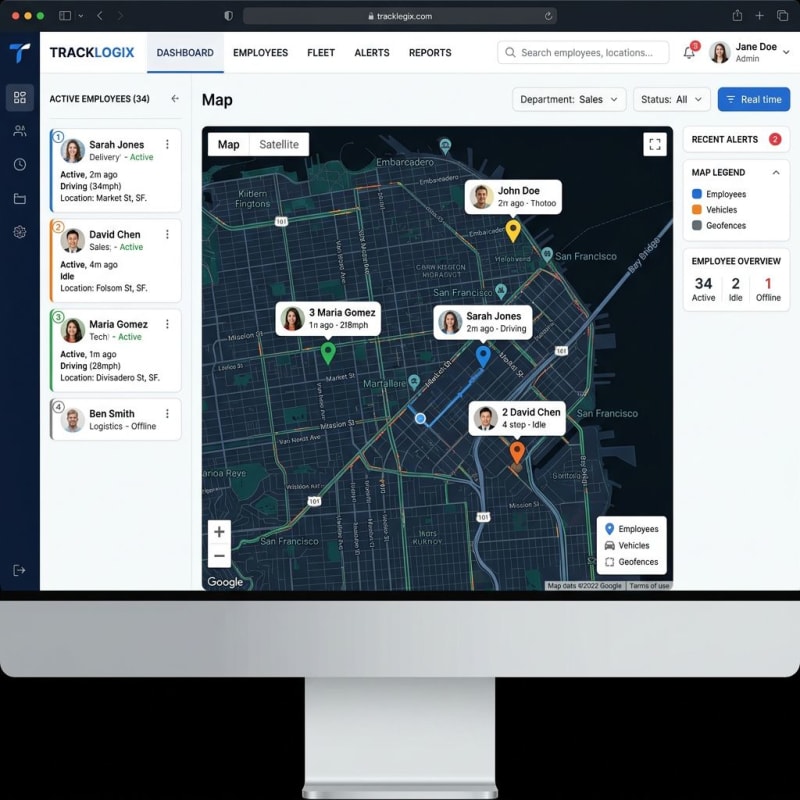
Hubstaff combines GPS tracking, geofencing, and optional screenshot monitoring — purpose-built for distributed teams. The automatic payroll feature calculates pay based on tracked hours and integrates with 30+ project management tools.
Pricing: Starts at $7/user/month (minimum 2 users)
Pros: Excellent mobile GPS features, 30+ integrations, automatic invoicing. Cons: Higher price point, monitoring features may feel invasive, limited shift scheduling.
The GPS tracking and mobile app make Hubstaff particularly valuable for delivery personnel, field technicians, or fully remote employees who work from various locations.
3. Deputy — Best for Shift Workers
Deputy excels at drag-and-drop scheduling, employee self-scheduling, shift swapping, and labor law compliance alerts. Their auto-scheduling feature can save managers 2-3 hours per week by automatically optimizing staffing based on forecasted demand.
California-based businesses will appreciate Deputy's break compliance tracking, which alerts managers when employees miss state-mandated meal and rest breaks — a common source of labor lawsuits for small businesses.
Pricing: Starts at $4.50/user/month
Pros: Exceptional scheduling, strong compliance tools with break and overtime alerts, real-time labor cost tracking. Cons: Complex setup for simple time tracking needs, steeper learning curve for managers.
4. When I Work — Best Value for Hourly Teams
A 25-person coffee chain in Portland switched from paper schedules to When I Work and cut their weekly scheduling time from 4 hours to 20 minutes. The built-in messaging system eliminated constant phone calls about shift changes.
Pricing: Starts at $2.50/user/month with no setup fees
Pros: Very affordable, easy employee adoption, built-in team communication, strong customer support. Cons: Limited reporting, no advanced location tracking, basic integrations.
5. QuickBooks Time — Best for QuickBooks Users
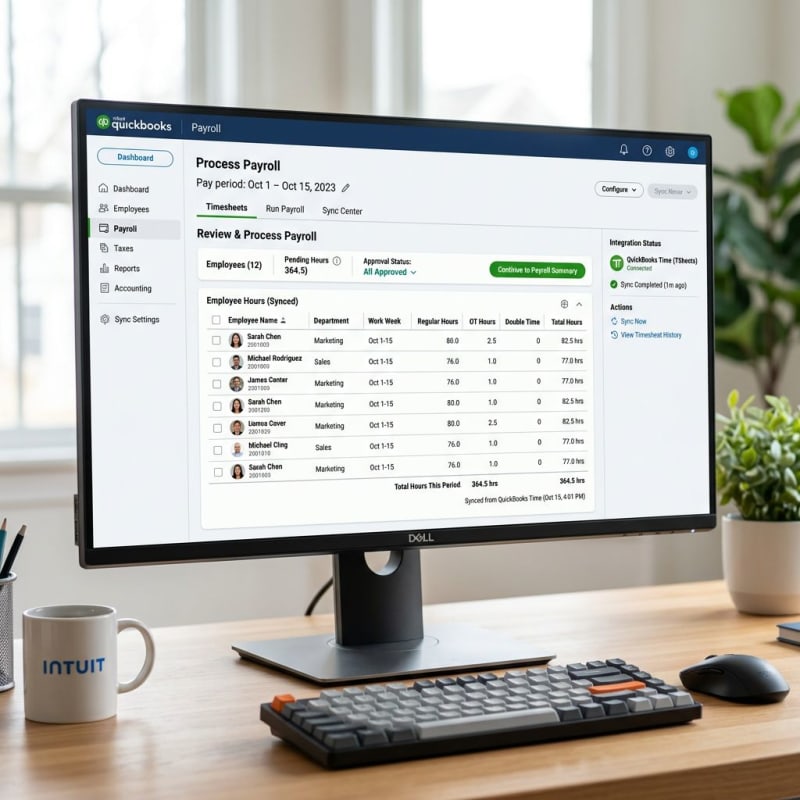
If you already run payroll through QuickBooks, QuickBooks Time offers native integration that eliminates double data entry and reduces payroll errors. Job costing features make it especially strong for contractors and service businesses.
Pricing: $8/user/month plus $20 base fee
Pros: Seamless QB ecosystem integration, strong job costing for contractors, reliable GPS and mileage tracking. Cons: Expensive for non-QB users, limited standalone value, higher total cost for larger teams.
6. Buddy Punch — Best Simple Setup
Buddy Punch gets you up and running in under 15 minutes. QR code punch-in, facial recognition, and straightforward PTO tracking — nothing more, nothing less. The focus on simplicity means near-instant employee adoption.
Pricing: $3.99/user/month with 14-day free trial
Pros: Quick 15-minute setup, simple clean interface, good mobile app, responsive support. Cons: Limited advanced scheduling, basic reporting, fewer integrations than competitors.
7. Homebase — Best Free for Service Industries
Built specifically for restaurants and retail, Homebase includes free time tracking, scheduling, and even hiring tools. Their tip pooling feature is something most time and attendance competitors don't offer, and the built-in job posting and applicant tracking helps with the high turnover common in service industries.
Pricing: Free plan available, paid plans from $24.95/location/month
Pros: Generous free plan with essential features, industry-specific templates, hiring tools included. Cons: Location-based pricing gets expensive at scale, less suitable for office or knowledge workers.
8. Connecteam — Best for Field Teams
Connecteam goes beyond basic time and attendance to offer digital forms, safety checklists, training modules, and real-time communication — all designed for teams that rarely see an office. Offline capability ensures field workers can clock in even without cell service.
Pricing: $29/month for up to 30 users, then $1.50/user/month
Pros: Comprehensive field worker solution, offline capability, competitive pricing for small teams. Cons: Overkill for office-based teams, complex setup for simple needs.
9. Jibble — Best Multi-Location Tracking
Jibble's free plan includes facial recognition and unlimited users — rare for time and attendance software. Their kiosk mode works well for shared devices at multiple sites, and centralized reporting gives managers a single view across all locations.
Pricing: Free plan available, paid plans from $2.99/user/month
Pros: Generous free plan with facial recognition, strong multi-location management, good analytics. Cons: Limited scheduling features, no free-plan payroll integration.
10. Tiny Team — Best All-in-One HR Solution
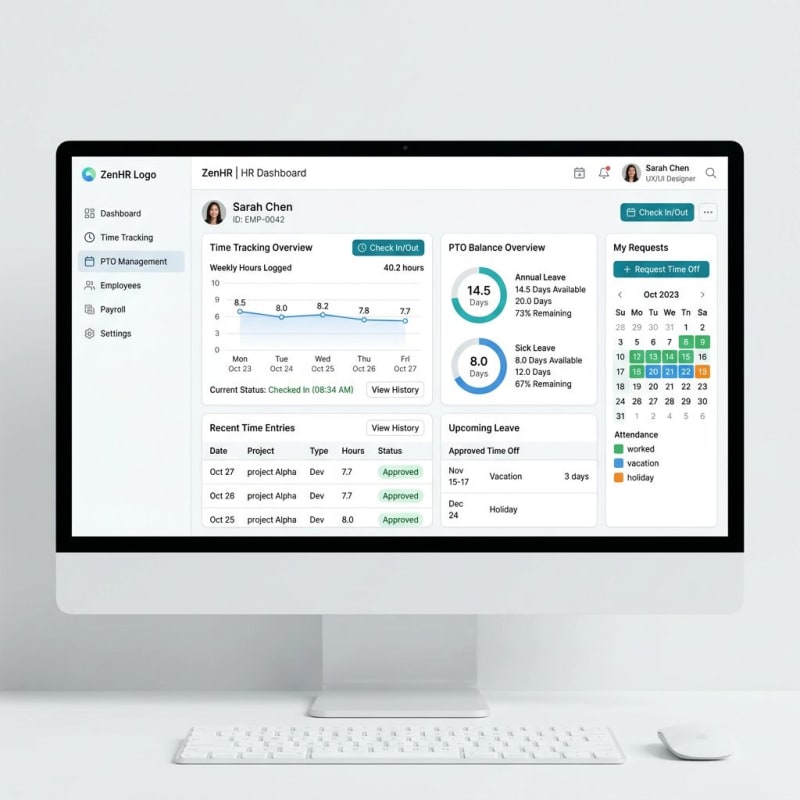
Tiny Team takes a different approach: instead of standalone time tracking, it bundles PTO management and team calendar scheduling into a complete HR platform with people management, performance reviews, and document storage.
Pricing: $299/year (up to 15 employees), $899/year (up to 50)
Pros: Flat annual rate with no per-employee pricing, PTO tracking with custom accrual policies, complete employee records, performance management included. Cons: Web-only platform (no mobile app), no payroll processing (compensation tracking only), not specialized for hourly clock-in/out tracking.
Best for: Salaried teams that need PTO management and HR tools bundled together rather than standalone time clocking.
Time and Attendance Software vs Leave Management Software
These categories overlap but serve different primary needs:
Time and attendance software focuses on daily clock-in/out tracking, shift scheduling, overtime calculations, and syncing approved hours with payroll. Best suited for hourly workers and shift-based teams.
Leave management software specializes in PTO policy administration, accrual calculations, approval workflows, and FMLA compliance. Better for salaried teams where tracking hours worked matters less than managing who's off when.
Many modern solutions combine both. For example, Deputy and When I Work combine scheduling with basic leave tracking, while Tiny Team pairs PTO management with full HR features. The key is understanding whether your team primarily needs clock-in/out tracking or leave policy management.
For deeper leave-specific options, check our best leave management software roundup. If you're building attendance policies from scratch, our employee attendance policy guide covers the essentials.
How to Choose the Right Time and Attendance Tool
Match software to your workforce type
For shift and hourly workers: Deputy, When I Work, or Homebase offer scheduling-heavy features. Prioritize labor law compliance, break tracking, and mobile clock-in. The U.S. Department of Labor requires accurate records of hours worked — the right software makes compliance automatic.
For salaried teams with PTO needs: Focus on leave management, project tracking, and HR integration. Solutions like Tiny Team bundle PTO tracking with broader HR features at a flat rate.
For remote and field teams: Hubstaff or Connecteam for GPS verification and offline capability. Essential for delivery, construction, and distributed teams.
Calculate total cost of ownership
Per-user pricing adds up fast. Here's a real comparison for a 25-person team:
| Cost Factor | Per-User Model ($7/user) | Flat Rate (Tiny Team) |
|---|---|---|
| Annual software cost | $2,100 | $299-$899 |
| Estimated setup time | 10-20 hours | 10-20 hours |
| Payroll time savings | 78 hours/year | 78 hours/year |
Beyond sticker price, factor in training time, integration costs, and compliance risk reduction. Overtime violations alone can cost small businesses thousands in penalties according to Forbes.
Plan for growth
Consider where your team will be in 2-3 years. Per-user pricing that seems affordable at 10 employees becomes painful at 40. Features needs evolve too — you may start with basic time tracking but eventually need performance management, onboarding workflows, or compliance tools. Choosing a platform that grows with you avoids painful migrations later.
Test before committing
Run a 2-week trial with 3-5 employees. Week one: test core clock-in, reporting, and exports. Week two: test PTO requests, edge cases, and payroll integration accuracy.
According to SHRM, companies with proper implementation plans see 85%+ adoption within 30 days. The best time and attendance system is the one your employees actually use — a simple solution with high adoption beats a feature-rich platform that sits unused.
For more tools to streamline your HR stack, see our guides on best HR software for small business and PTO policy templates.

Frequently Asked Questions
What is time and attendance software?
Time and attendance software is a digital tool that tracks when employees work, manages schedules, and handles time-off requests. It replaces manual timesheets with automated systems using mobile apps, web portals, or biometric devices — covering clock in/out tracking, overtime calculations, and payroll integration.
How much does time and attendance software cost?
Basic time and attendance solutions start at $2-4 per user per month, while comprehensive platforms range $5-15 per user monthly. Free options like Clockify and Homebase cover essentials. Flat-rate solutions like Tiny Team charge $299-$899/year regardless of user count, which can be more cost-effective for growing teams.
Can small businesses use free time tracking software?
Yes. Clockify offers unlimited tracking for unlimited users free. Homebase provides free scheduling for service industries. Jibble includes facial recognition on its free plan. Free plans typically limit reporting, integrations, and support — but they're a solid starting point for small teams.
What's the difference between time tracking and attendance management?
Time tracking records hours worked for payroll and billing. Attendance management is broader: scheduling, PTO requests, compliance monitoring, and absence tracking. Most modern time and attendance solutions combine both, but standalone time trackers may lack leave management features.
Do remote teams need time and attendance software?
Remote teams often benefit more from time and attendance software than office teams. GPS tracking verifies work locations, automated time logs replace the visibility managers lose without physical proximity, and async PTO management keeps everyone aligned across time zones.
How do I get employees to actually use time tracking software?
Start with a small pilot group and choose software with an intuitive mobile app. Provide a 15-minute hands-on training session, set clear policies about when and how to clock in, and address concerns openly. Software with simple one-tap clock-in sees significantly higher adoption than complex desktop systems.