A job requisition is the first step in smart hiring. It's the formal form that kicks off the process when you need to fill a role — whether you're replacing someone or growing your team.
Unlike a quick chat about "needing one more dev," a job requisition creates a paper trail. It makes sure you have budget sign-off. It gets everyone on the same page about the role. For growing teams, this step helps prevent costly hiring mistakes and keeps your headcount plan on track.
In this guide, you'll get a free template you can use today. You'll also learn what goes in each field, see filled-out examples, and walk through the full sign-off process step by step.
What Is a Job Requisition?
A job requisition is a formal request to hire someone for a specific role. Think of it as your in-house pitch that says: "We need to hire for X role, here's why, and here's what it'll cost."
The form serves three main goals. First, it creates ownership. The hiring manager must spell out why the role matters and how it fits the team. Second, it starts the budget sign-off chain. You get money locked in before you post ads or start interviews. Third, it becomes the base for writing the job description and planning your hiring steps.
Here's a real example. Sarah runs marketing at a 25-person startup. Her team of three is drowning in content, events, and campaigns. Rather than just telling the CEO "we need help," she fills out a job requisition. It lists the exact role (Content Marketing Specialist), start date (within 60 days), pay range ($55K–$65K), and a clear reason (the team is working 50-hour weeks and missing deadlines).
The form flows through the sign-off chain. Her boss confirms the need. Finance checks the budget. HR reviews for fit. Only after full sign-off does the hiring process begin.
Without that form, Sarah might have hired too fast. Or too slow. Or picked the wrong role type. The requisition keeps things tight. According to the Society for Human Resource Management (SHRM), the average cost per hire is over $4,700. A clear req helps you avoid waste at every step.
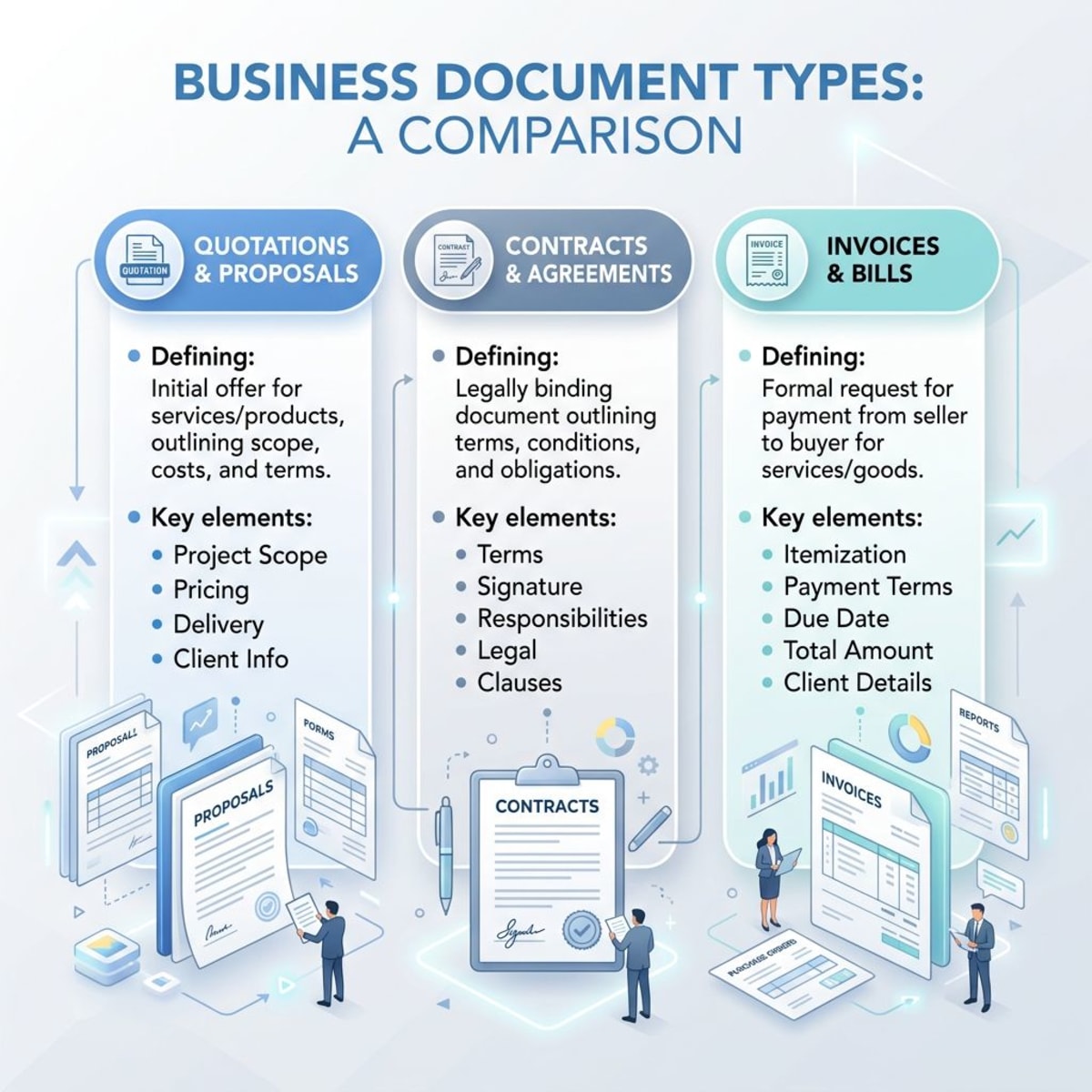
Job Requisition vs Job Description vs Job Posting
These three docs often get mixed up. But they each serve a distinct purpose:
| Document | Purpose | Audience | Timing | Key Content |
|---|---|---|---|---|
| Job Requisition | Get sign-off to hire | Managers, HR, Finance | Before hiring starts | Business reason, budget, team setup |
| Job Description | Define the role | New hire, manager, HR | After sign-off | Daily tasks, skills, who they report to |
| Job Posting | Attract job seekers | Candidates | During active hiring | Role summary, culture, perks |
The job requisition comes first. It's purely internal. It's your case for why this hire makes sense for the budget and the team. The job description comes next. It serves as both a hiring tool and a guide for the new hire. The job posting is the public ad meant to draw in great people.
Many small teams skip straight to posting jobs. They don't bother with a proper form. This leads to fuzzy goals, budget shocks, and poor hires. The form forces you to think before you act.
A good rule of thumb: if your team has five or more people, use a requisition form for every hire. Even simple ones. The 15 minutes it takes to fill out the form can save you weeks of wasted time and thousands of dollars in bad hires.
Key Parts of a Job Requisition Form
A good form gives decision-makers all they need to say yes or no. Here are the must-have parts:
Role Details
- Job Title: Be exact. "Marketing Specialist" beats "Marketing Person."
- Team: Where this role sits in the company.
- Reports To: Who will manage this person day to day.
- Location: Remote, hybrid, or in-office.
- Type: Full-time, part-time, contract, or temp.
Business Reason
This part answers "Why do we need this role?" Don't use vague phrases like "more work." Give clear proof instead:
- What the current team can't handle.
- What happens if you don't fill the role.
- How this role ties to company goals.
- What results you expect from the new hire.
Strong reasons use numbers. "Our support team has a 48-hour reply time, up from 24 hours last quarter" is much better than "support is slow." The more precise your reason, the faster you'll get a green light.
Money Details
- Pay Range: Based on market data and your budget.
- Perks Package: Health, PTO, gear, etc.
- Total Yearly Cost: Pay plus perks and setup costs.
- Budget Code: Which team or project funds this role.
Timeline and Needs
- Target Start Date: When you need this person.
- Hiring Window: How fast you need to wrap up hiring.
- Must-Have Skills: Deal-breaker needs.
- Nice-to-Have Skills: Extras that set people apart.
Sign-Off Chain
- Hiring Manager: The person who'll run this role.
- Team Lead: Senior leader backing the business need.
- Finance: Budget and cost check.
- HR Review: Compliance, pay fairness, and process check.
Free Job Requisition Template
Here's a ready-to-use template you can tweak for your team. Copy it into a Google Doc, Notion page, or your HR system. Fill in the parts that stay the same for your company (like team names and sign-off chains), and leave the rest blank for each new hire request.
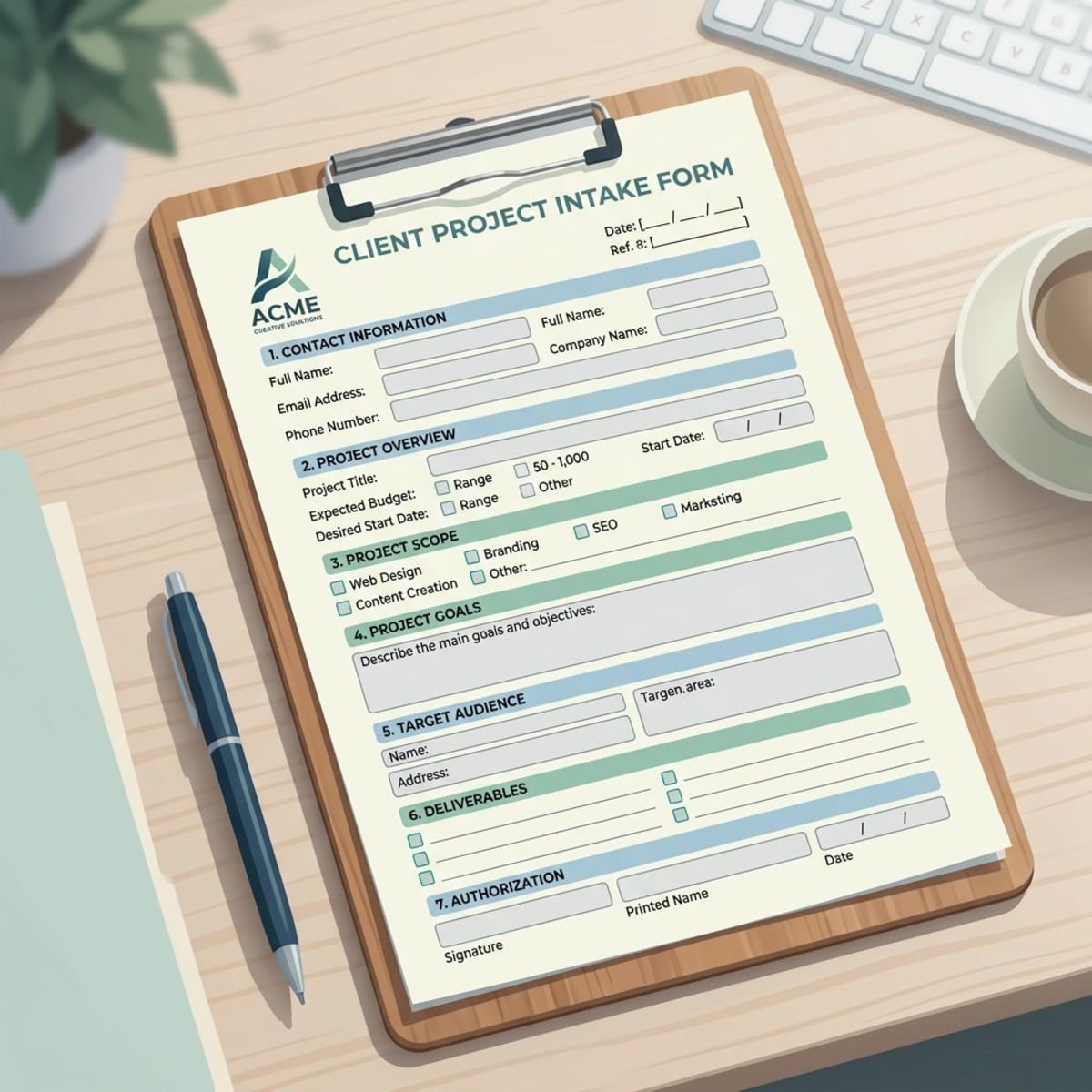
JOB REQUISITION FORM
Basic Info
- Date Filed: ___________
- Filed By: ___________
- Team: ___________
- Job Title: ___________
- Reports To: ___________
Role Type ☐ Full-time ☐ Part-time ☐ Contract ☐ Temp ☐ New role ☐ Backfill ☐ Remote ☐ Hybrid ☐ On-site
Business Reason Why is this role needed?
What happens if this role stays open?
How does this role help reach company goals?
Money Details
- Pay Range: $_______ – $_______
- Yearly Perks Cost: $_______
- Gear/Setup Cost: $_______
- Total First-Year Cost: $_______
- Budget Code: ___________
Timeline
- Target Start Date: ___________
- Hiring Wrap-Up Target: ___________
- Sourcing Method: ☐ Internal ☐ External ☐ Agency ☐ Job boards
Skills & Experience Must-haves:
Nice-to-haves:
Sign-Offs Hiring Manager: ______________ Date: ______ Team Lead: ______________ Date: ______ Finance: ______________ Date: ______ HR: ______________ Date: ______
Job Requisition Examples
Here are three real-world cases showing how different hire types fill out the form:
Example 1: New Role — Sales Dev Rep
Role: Sales Dev Rep Team: Sales Type: New role, Full-time
Business Reason: "Our 2 AEs spend 40% of their time on cold outreach and lead screening. This slows our sales cycle by 23%. It also means $180K in lost deals each quarter. Adding an SDR would free AEs to focus on closing."
Money: Pay Range: $45K–$55K plus $15K bonus. Total yearly cost with perks: $78K.
Timeline: Start within 45 days to hit Q2 targets.
Why this works: The form ties a clear dollar figure ($180K lost per quarter) to the business need. That makes the finance sign-off easy.
Example 2: Backfill — Customer Success Manager
Role: Customer Success Manager Team: Customer Success Type: Backfill
Business Reason: "Our CSM Jessica is leaving this month. She handles 45 accounts worth $2.1M in yearly revenue. Without a quick backfill, those accounts risk churn. Our other CSM would be juggling 90+ accounts — way above the safe 40-account limit."
Money: Pay Range: $65K–$75K. Total yearly cost: $95K (matching Jessica's package).
Timeline: Start within 30 days to allow for handoff.
Why this works: Backfill reqs move fast when you show the revenue at risk. Linking churn to a dollar amount ($2.1M ARR) makes the urgency real, not just felt.
Example 3: Team Growth — Product Designer
Role: Product Designer Team: Product Type: Team growth
Business Reason: "We're shipping two new product lines in Q3. Our one designer is already maxed out. Design is now the bottleneck. It delays feature launches by 3 weeks on average. A second designer lets us run two tracks at once."
Money: Pay Range: $75K–$90K. Total yearly cost with gear: $105K.
Timeline: Start within 60 days to support the Q3 launch.
Why this works: This req focuses on the bottleneck, not just "more work." Showing that design delays cost 3 weeks per feature makes the ROI of the hire very clear.
Job Requisition Process Step-by-Step
The process varies by company size. But here's a typical flow for small to mid-size teams:
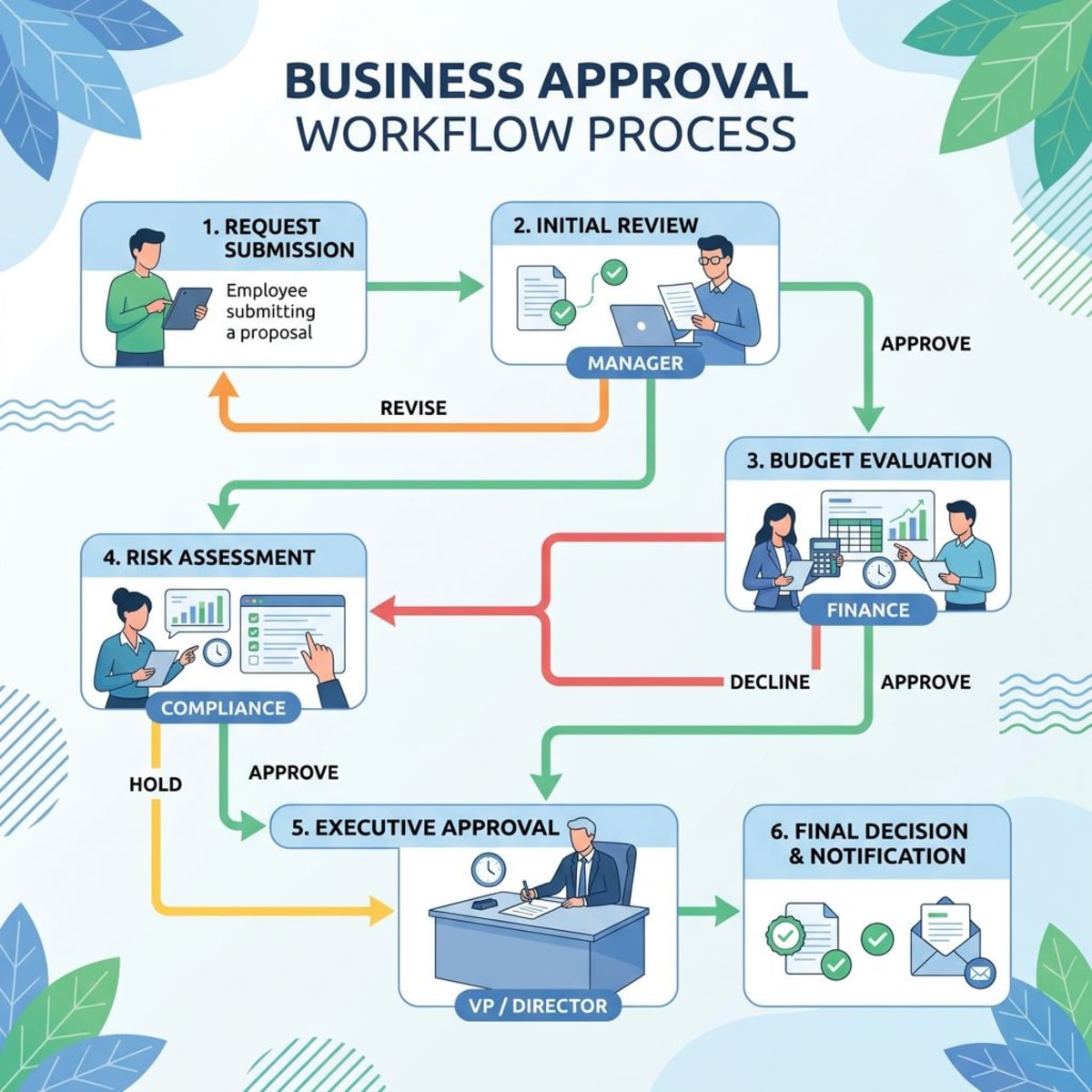
Step 1: Manager Spots the Need The hiring manager sees a gap. Maybe the team is stretched thin. Maybe someone left. Maybe the company is growing fast. Before posting any jobs, they ask: Can we fix this by changing how we work? Or do we truly need a new hire? This step matters because not every gap needs a full-time hire. Sometimes a contractor, a tool, or a process tweak can fill it. The req process starts with honest thinking about what the team really needs.
Step 2: Fill Out the Form The manager fills in every detail. Role, reason, budget, timeline. The more specific, the better. Vague forms get sent back or stall out.
Step 3: Team Lead Sign-Off The team lead or senior manager reviews the request. Does it fit the team's goals? Is the budget fair? They may suggest tweaks to scope, timing, or pay.
Step 4: HR Review HR checks for compliance and pay fairness. They make sure the role level makes sense. They may also suggest hiring tactics or a new timeline. HR also checks for overlap — is this role too close to one that already exists? Could two open reqs be merged into one stronger role?
Step 5: Finance Sign-Off Finance confirms the money is there. For bigger hires, this might need exec or board review.
Step 6: Req Number Assigned Once signed off, HR gives it a unique tracking number. This number shows up on job ads, emails to job seekers, and all hiring records.
Step 7: Hiring Kicks Off With the green light, HR and the manager start hiring. They write the job post, put it on boards, source people, and set up interviews. Using an interview scorecard keeps the process fair and well-run.
The full sign-off chain usually takes 5–15 business days. It depends on team size and how fast choices get made. To keep things on track, set a target date for each step. Track progress in a shared doc or your HRIS. If any step takes more than 3 days, send a nudge.
How to Speed Up Your Requisition Process
Paper forms create delays, lost docs, and sign-off jams. Here's how to make it faster:
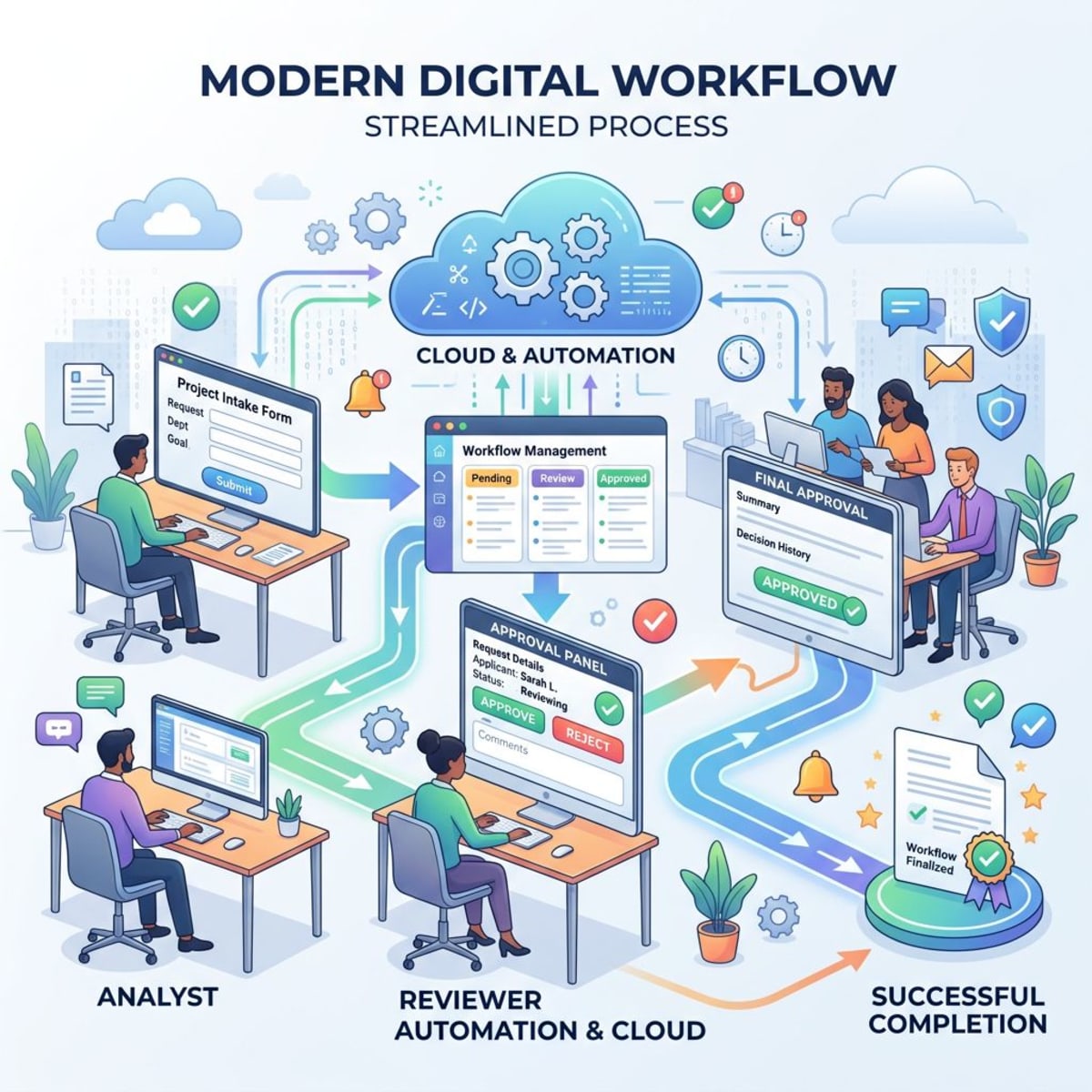
Use Digital Forms
Swap out PDF forms for digital tools that send sign-off requests on their own. Google Forms or HR tools cut out the printing, scanning, and email chains. Digital forms also let you track where each req stands. No more "did you sign that yet?" emails. Everyone can see the status in real time.
Create Role Templates
For common roles, build a standard form with set pay ranges and sign-off chains. A "Software Engineer II" template with locked-in details speeds things up for repeat hires. Start with your top 3–5 most-hired roles. Pre-fill the pay range, team, and skills sections. When a new req comes in for one of those roles, the manager just adds the business reason and timeline.
Set Clear Sign-Off Rules
Spell out who signs off at each step and in what order. Where you can, run sign-offs side by side. This cuts wait time versus a step-by-step chain. Write it down in your team wiki or company handbook. When a new manager joins, they should know exactly how to get a hire approved without asking around.
Lock In Budgets Early
Work with finance to set team hiring budgets at the start of each year. With budgets locked in, you don't need a one-off review for every req. For example, if the sales team has budget for three new hires in 2026, each req just draws from that pool. Finance already said yes to the big number — now it's just about each specific role.
Link to Your ATS
Hook your form system into your ATS. Once signed off, the req can auto-create job ads and hiring pipelines. Pick the right ATS for small teams to keep things smooth. Tools like Tiny Team link sign-off flows to hiring pipelines. This gives you one clean path from business need to new hire onboarding.
Review the Process Often
Check your req data each quarter. Look at how long sign-offs take, how many get turned down, and where things stall. Use what you find to make it better. Also review your employee handbook to make sure your hiring policies match your current req process.
Common Mistakes to Avoid
Even smart teams make errors that slow hiring down. Here are the big ones:
Weak Business Reason "We're swamped" is not a case. Use numbers instead. How many overtime hours? How many missed deadlines? How much money is at risk? Hard data wins sign-offs.
Rushed Timelines An "ASAP" start date ignores real steps. You need time for sign-off, hiring, and notice periods. Good hires for skilled roles take 6–12 weeks from req to day one. Build in that buffer.
Pay Range Too Tight A $5K range shuts out a lot of people. This hurts most in hot markets. Check sites like PayScale or Glassdoor before you set the numbers.
No Budget Sign-Off Some managers think a verbal "yes" is enough. Then the req gets denied. Hiring stalls. Always get formal money sign-off first.
Missing Details Rushed forms with blank fields need revision. This adds days. Use a checklist to make sure every field is done before you hit submit.
Too Many "Must-Haves" Listing "5+ years" for a junior role sets the bar too high. So does packing in every skill under the sun. Stick to 3–5 true must-haves. Mark the rest as nice-to-haves.
Not Tracking Req Data If you don't log metrics — like time to sign-off, fill rates, or where reqs stall — you can't improve. Even a simple sheet that tracks each req from start to hire helps. Over time, patterns show up. Maybe finance always takes 5 days. Maybe Q4 reqs get denied more often. Use that data to plan better.
Tools That Help with Job Requisitions
The right tools turn a paper headache into a smooth flow:
HR Platforms (HRIS) Tools like BambooHR, Gusto, or Workday come with built-in req forms, sign-off flows, and budget tracking.
All-in-One HR Tools Tiny Team puts the full hiring pipeline in one place — from req sign-off to performance reviews to team management. No data silos. Full view from planning to onboarding.
Doc Storage Google Workspace or SharePoint give you version control, sign-off tracking, and safe file sharing. Good for teams that like file-based setups. You can build a simple system with shared folders: one for pending reqs, one for approved, one for closed. Add a shared sheet to track status across all open reqs.
Workflow Bots Zapier or Power Automate can link your req form to email alerts, calendar events, and project boards. This cuts out manual follow-ups.
Budget and Finance Tools Hooking into QuickBooks or NetSuite lets you check budgets in real time. Costs get logged the moment a req is signed off.
The best fit depends on your team size and what tools you already use. Small teams often do best with simple, all-in-one setups.
Frequently Asked Questions
What is a job requisition number?
A job requisition number is a unique ID given to each approved hire request. It tracks the role through the full hiring process. It shows up on job ads, emails, and all hiring records. For example, "REQ-2026-001" might be your first req of the year. Most companies use a format like REQ-YEAR-SEQ. Some add a team code, like "REQ-ENG-2026-003" for the third hire in the engineering team that year.
Who fills out a job requisition?
The hiring manager — the person who will run the new hire day to day — fills out the form. They know the role best. They can give the most precise details. HR may help with pay benchmarks and legal needs.
How long should the sign-off process take?
Most small to mid-size teams wrap it up in 5–10 business days. Larger firms with more layers might need 2–3 weeks. Rush or backfill hires often go through a faster lane.
Is a job requisition the same as a job posting?
No. A req is an internal form that asks for a green light to hire. A job posting is a public ad meant to draw in job seekers. The req must be signed off before any posting goes live.
What happens if a job requisition is denied?
It goes back to the hiring manager with notes on what to fix. Common issues: weak business reason, pay too high, or unclear need. The manager can revise and re-submit once those gaps are closed.
Can you change a job requisition after sign-off?
Small tweaks — like shifting the timeline or adding nice-to-have skills — usually don't need new sign-offs. Big changes to pay, role level, or who the role reports to will need fresh approval from the same chain. A good practice: define what counts as a "minor" versus "major" change in your company's hiring policy. That way, no one has to guess.
Smart hiring starts with the right plan. A good job requisition process makes sure every hire fits your goals, stays on budget, and sets both the new hire and the team up for success.
Grab the template above, tweak it for your team, and turn your hiring from a scramble into a real plan. Start simple — even a shared Google Doc beats no form at all. As your team grows, move to a tool that handles sign-offs, tracking, and hiring in one place.
The best teams treat each req as a chance to think clearly about what they need. That ten minutes of up-front thought pays off in better hires, faster sign-offs, and fewer regrets down the road.