Unlimited PTO lets employees take as much paid time off as they need. There's no preset cap. They just need to get their work done and get manager approval.
This approach has grown fast. 52% of companies now offer some form of unlimited PTO. But many of these policies fail badly. Employees often take less time off than with a set plan. The fix? Clear rules, good tracking, and leaders who model healthy time-off habits.
What Is Unlimited PTO?
Unlimited PTO removes the old accrual system. Employees don't earn vacation days over time. Instead, they request time off when they need it. The manager reviews the request based on workload and team needs.
Say an employee wants 3 weeks in January and 2 in July. That's fine—as long as their work stays on track. This is a big shift from plans that cap time off at 15 or 20 days per year. A growing number of workers now expect this kind of freedom. A 2025 PwC survey found that 88% of workers value schedule freedom over a raise.
How It Differs from Traditional PTO
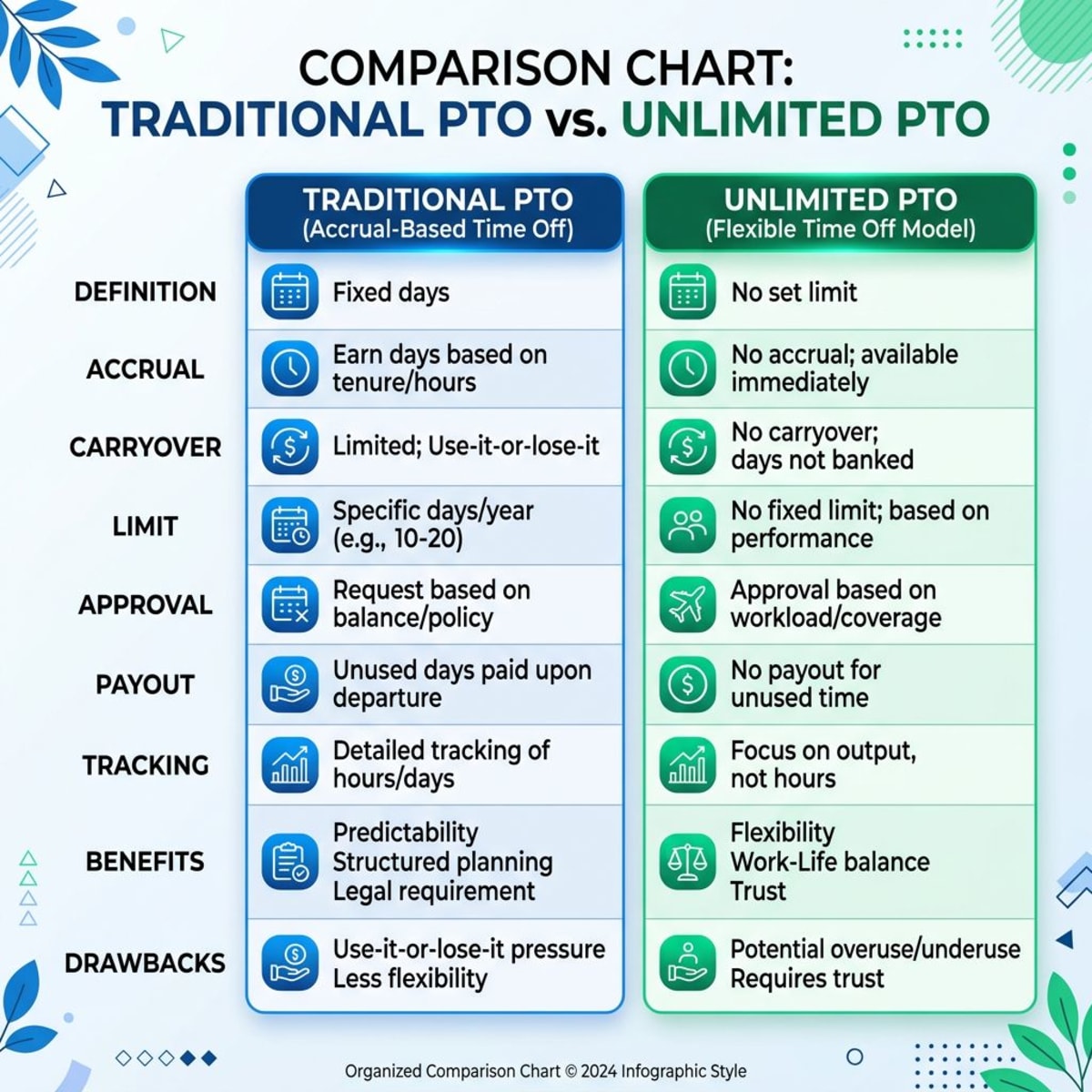
| Traditional PTO | Unlimited PTO |
|---|---|
| Earn days over time (e.g., 1.5 days/month) | No accrual—request as needed |
| Annual caps (e.g., 15–25 days) | No preset limits |
| Unused days often paid out on exit | No payout on departure |
| Clear count of days left | Tracking focuses on usage trends |
How Does Unlimited PTO Work Day to Day?
Most teams follow a simple four-step flow:
1. Plan ahead. The employee picks dates around deadlines and team needs. They check the team calendar for conflicts.
2. Get approval. The manager checks workload, coverage, and timing. They also look at the employee's recent usage pattern.
3. Set up coverage. The employee hands off tasks and writes handoff notes. They set an out-of-office reply for email and chat.
4. Log it. The approved time goes into the leave management system for records. This helps HR spot trends later.
The key insight: unlimited PTO needs active management. You can't just post the policy and hope for the best. Teams that treat it as "hands off" see the worst results.
Pros of Unlimited PTO
Easier Hiring and Retention
Flexible time off is a strong perk in job listings. According to the Bureau of Labor Statistics, replacing a worker costs 6–9 months of their salary. A solid PTO policy helps you keep people longer. It also makes your job posts stand out in a tight market.
Less Admin Work
No more tracking accruals or carryovers. No more payout math when someone leaves. HR teams save hours each month on time-off admin alone. This is a big win for small teams without a full HR department. You can focus on people, not spreadsheets.
Builds a Trust Culture
This policy tells your team: "We trust you." That message matters. Companies built on trust see higher engagement and better output. It also pairs well with a strong performance review process. When people know their work is seen, they feel safer taking breaks. Trust is a two-way street. You give freedom. They give their best work.
No Surprise Costs at Exit
With traditional PTO, departing employees get cash for unused days. That payout averages about $1,900 per person. For a 50-person team, that's up to $95,000 in surprise costs. Unlimited PTO removes those costs from your books entirely.
Handles Life Events Gracefully
A parent needs extra time after a new baby arrives. A team member has a family health crisis. Unlimited PTO gives them room without counting days. This builds deep loyalty and reduces stress during tough moments. People remember how you treated them during hard times. That goodwill pays back for years.
Cons of Unlimited PTO
People Often Take Less Time Off
This is the biggest risk by far. Studies show unlimited PTO employees average 13 days off per year. Traditional PTO employees average 15 days. Without clear nudges, people under-use the policy. They worry about looking lazy or uncommitted.
Fairness Issues Across Roles
Top performers may feel pressure to skip vacation. Others might take too much time. You can end up with wide gaps in usage across similar roles. One tech startup found their sales team took 8 days while support took 18. Track patterns to catch this early. Share usage data with managers so they can coach their teams.
No Payout When Leaving
With a set plan, unused days turn into cash at exit. Unlimited PTO offers no such safety net. This can feel unfair to long-term employees who took little time off. Spell this out in your onboarding checklist so new hires know from day one.
Rare but Real Abuse
Some people will push limits. One company saw an employee take 8 weeks in their first year. This is not common, but you need a process to address it quickly and fairly.
Legal Gray Areas in Some States
Some states still require PTO payouts by law. California is the most notable example. Talk to an employment lawyer before rolling this out. State labor laws can override your policy wording in ways you don't expect.
Is Unlimited PTO Right for Your Small Team?
Signs You're Ready
- ✅ Your team focuses on results, not hours logged.
- ✅ Managers trust their people to self-manage time.
- ✅ Every role has clear goals and success metrics.
- ✅ Leaders take time off and talk about it openly.
- ✅ You have a stable business model, not constant crisis mode.
- ✅ Your team already has good communication habits and shared tools.
Red Flags to Watch For
- ❌ Your culture rewards overwork and "hustle."
- ❌ Performance standards are vague or unwritten.
- ❌ Managers track every hour and question every break.
- ❌ You have heavy seasonal peaks that need all hands on deck.
Team Size Tips
5–15 people: Easiest to run. Everyone knows each other's workload. A shared calendar is enough.
15–50 people: Needs department-level planning. Use a simple request form and weekly team syncs.
50–100 people: You'll need formal systems, usage reports, and manager training programs.
How to Create an Unlimited PTO Policy: Step by Step
Step 1: Set Eligibility
Decide who qualifies and when. Most teams use a 90-day waiting period. This gives new hires time to learn the role and build trust before taking extended time off. Some companies also limit it to full-time staff only. Part-time or contract workers may need a different plan.
Step 2: Add Clear Guardrails
Unlimited doesn't mean unplanned. Set notice rules:
- 1–2 days off: Give 2 weeks' notice.
- A full week: Give 4 weeks' notice.
- 2+ weeks: Give 8 weeks' notice.
- Emergencies: As much notice as possible.
Define blackout periods for product launches, quarter-end pushes, or all-hands events. Require coverage plans for all requests above a single day.
Step 3: Build an Approval Flow
Keep the process simple and fast:
- Employee submits a request in your HR tool.
- Manager reviews within 48 hours.
- Approved time gets logged in the calendar.
Use a tool like Tiny Team's calendar to handle requests, approvals, and team visibility in one place.
Step 4: Set a Minimum
Fight under-use by setting a floor:
- All employees: At least 2 weeks per year.
- 2+ years tenure: At least 3 weeks per year.
- Senior roles: At least 4 weeks per year.
Check in quarterly with anyone below the minimum. Some teams run company-wide "recharge weeks" where the whole team logs off together. This sends a clear signal that rest is not just allowed—it's expected.
Step 5: Handle Legal Details
Talk to a lawyer about your state's rules on:
- PTO payout at termination.
- FMLA overlap with your unlimited policy.
- Record-keeping and documentation needs.
Some firms keep a "shadow accrual" for legal safety. They track what employees would have earned under a set plan, just in case a state audit occurs.
Step 6: Communicate the Change
Roll it out with care and clarity:
- Have the founder explain why the change is happening.
- Train managers on how to approve requests fairly.
- Share an FAQ doc that answers common worries.
- Start with one team as a pilot before going company-wide.
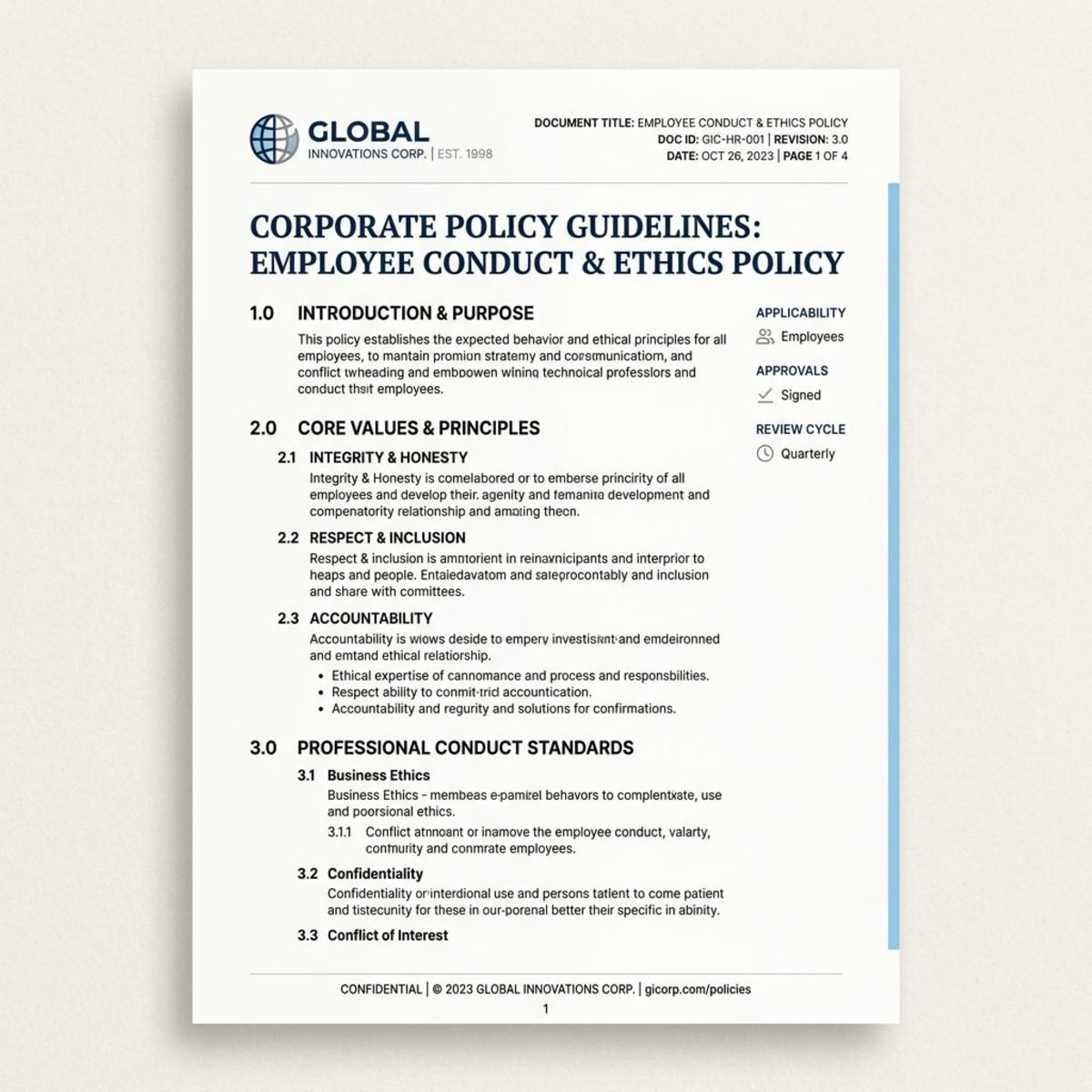
Free Unlimited PTO Policy Template
Here's a ready-to-use template. Copy it and edit for your company.
[Company Name] Unlimited Paid Time Off Policy
Effective Date: [Date] Applies To: All full-time employees after 90-day probation
Our Philosophy
We trust our team to balance work and rest. This policy reflects that trust. Take time off when you need it. Keep your work on track and your team informed.
How It Works
Request paid time off whenever you need it. There is no annual cap on days. All requests need manager approval and a coverage plan.
Request Process
-
Submit your request via [HR tool/calendar] with this notice:
- Single day: 2 weeks ahead.
- 2–5 days: 4 weeks ahead.
- 1+ week: 8 weeks ahead.
- Emergency: As soon as possible.
-
Your manager reviews workload, coverage, and timing.
-
You'll get approval or feedback within 72 hours.
Guidelines
- Minimum use: Take at least 2–3 weeks per year for your health and focus.
- Coverage: Arrange backup before you leave. Write handoff notes.
- Blackout dates: [Add your own critical periods here].
- Performance: This policy depends on meeting your role's goals.
What This Covers
Vacation, personal time, mental health days, and family events.
What This Does Not Cover
Sick leave, bereavement, jury duty, and workers' comp. These have their own policies.
Unlimited PTO vs. Traditional PTO: Side by Side
| Factor | Unlimited PTO | Traditional PTO |
|---|---|---|
| Talent appeal | High | Standard |
| Admin work | Low | High |
| Budget impact | Steady, no payouts | Variable, surprise costs |
| Average usage | ~13 days/year | ~15 days/year |
| Fairness risk | Higher without tracking | Lower, equal accrual |
| Legal complexity | Higher in some states | Lower, well-established |
When to Stick with Traditional PTO
Not every company should go unlimited. Traditional PTO is better if you have:
- Unionized teams with set contract terms.
- Seasonal peaks like retail holidays or tax season.
- Highly regulated fields like healthcare or finance.
- A large team with complex approval chains.
How to Track Unlimited PTO Effectively
Even without caps, you need data. Track these metrics at three levels:
Per person: Days taken, approval rates, and notice compliance.
Per team: Average usage, peak periods, and coverage gaps.
Company-wide: Usage trends, equity across roles, and satisfaction scores.
For small teams under 20 people, a shared calendar works fine. Just make sure someone reviews usage data each quarter. As you grow past that, a platform like Tiny Team handles requests, approvals, and reports in one hub.

Warning Signs to Act On
- Someone takes fewer than 10 days a year.
- Big gaps in usage between similar roles.
- Lots of last-minute or emergency requests.
- Managers deny requests without clear reasons.
Healthy Signs You're on Track
- Steady usage spread across all four quarters.
- Employees plan ahead and arrange coverage.
- Survey feedback about time off is positive.
- Leaders take their own vacations visibly.
Common Mistakes to Avoid
No manager training. Without clear criteria, managers make unfair calls. Run a short training before you launch the policy. Cover approval standards and how to nudge low-usage employees.
Ignoring your culture. A "work till you drop" culture will kill unlimited PTO. Fix the culture first. Use your exit interviews to learn how people feel about work-life balance.
No usage tracking. Without data, you can't spot problems. Log every request. Review trends each quarter. Look for outliers in both directions.
Vague performance goals. If people don't know what "good work" looks like, time off feels risky. Set clear role expectations before you launch.
All-or-nothing mindset. Unlimited PTO still needs structure. Add guardrails, set minimums, and run regular check-ins with your team.
Tips for Managing PTO with Remote Teams

Remote workers need extra clarity around time off. Set firm rules for:
- Out-of-office messages and expected response times.
- Time zone coverage so no region is left without support.
- Async handoff notes for anyone picking up their tasks.
Use a shared employee directory so the team always knows who's out. Pair this with a remote team management guide for a full playbook on distributed team coordination. Good systems help remote teams feel just as connected as in-office ones.
Frequently Asked Questions
How much time off do people actually take with unlimited PTO?
Most employees take 13 to 15 days per year. That's slightly less than with traditional plans. Set a minimum of 2 to 3 weeks to prevent the under-use trap.
What if someone abuses the policy?
Address it through your normal performance process. Document the impact on work output and team coverage. True abuse is rare—under 5% of employees. Most issues come from unclear expectations, not bad intent.
Can you switch back to traditional PTO later?
Yes, but expect some pushback from the team. Be honest about why you're changing. Consider keeping existing perks for current staff to ease the shift.
How does unlimited PTO affect company valuation?
Buyers tend to like it. It removes accrued vacation from your balance sheet. But some investors want more detail around time-off costs for planning.
What's the difference between unlimited PTO and flexible time off?
They're mostly the same in practice. "Flexible time off" sometimes includes soft caps or guidelines. What matters is how you run and enforce the policy day to day.
Should you mention PTO in your welcome email to new hires?
Absolutely. Include your PTO policy and norms in your welcome email. New hires need to know the expectations from their very first day. Setting norms early prevents confusion and builds confidence in the policy.
Need an easier way to manage time off for your team? Tiny Team handles PTO tracking, approvals, and team calendars in one place. Plans start at $299 per year for up to 15 people.